Themes, language & text size
Three themes, full Urdu with right-to-left layout, and text you can actually read at arm's length.
Everything here is under Settings → App, and applies to every business you run.
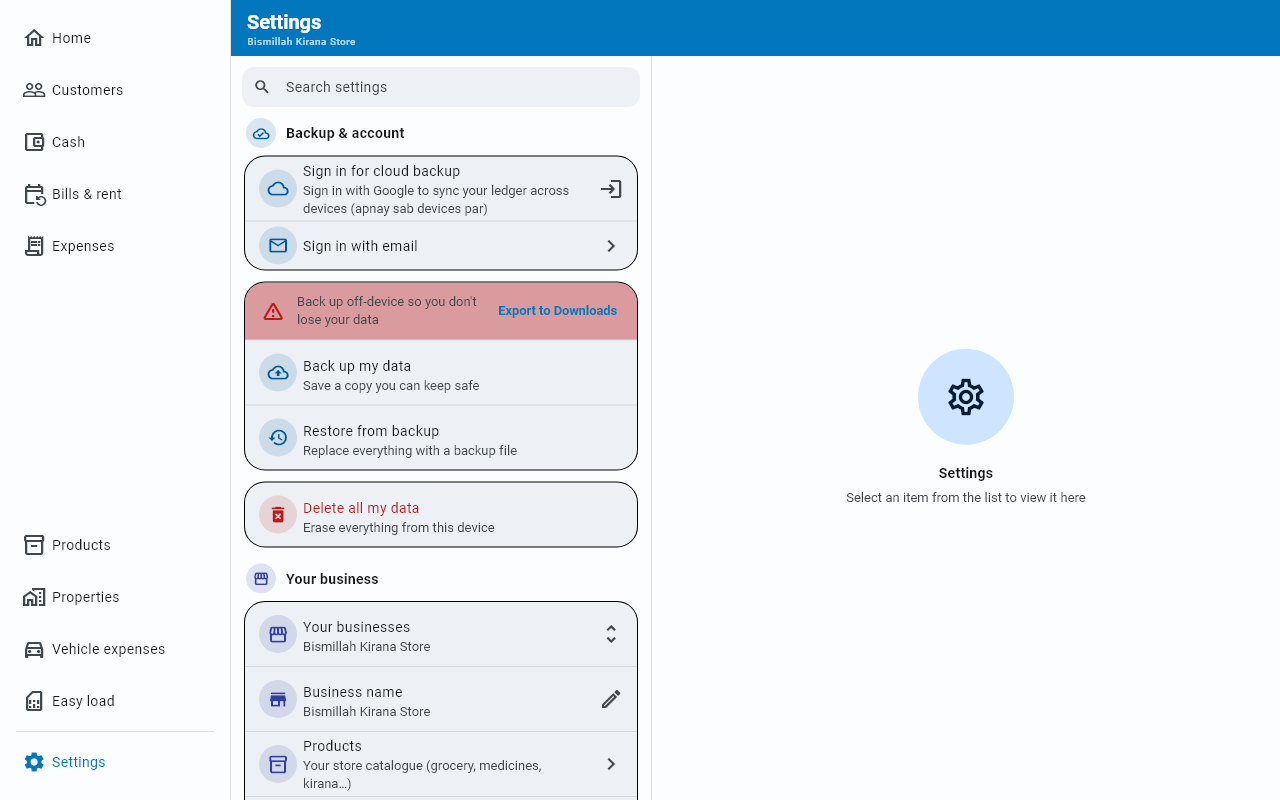
How Settings is laid out
At the top is a Search settings box; below it, five groups, each with a coloured heading:
| Group | What is in it |
|---|---|
| Backup & account | Signing in (or your account and sync status), your plan, backing up and restoring — and, last, in red, Delete all my data |
| Your business | Your businesses and Business name; on a PC also Products, Bills & rent, Properties, Vehicles, Expenses and Easy load |
| Money tools | Zakat (zakat hisaab), Reminders and WhatsApp messages |
| App | Language, App Lock, theme, text size and feature tips |
| Help & about | The user guide, suggesting a feature, sharing the app, your version number and the open-source licenses |
Backup comes first on purpose: it is the one thing you must be able to find in a hurry.
Search finds a row by any word in its name or its small description — in English or Urdu, whichever language the app is showing, and spaces and hyphens do not matter (typing backup finds Back up my data). It also knows a few everyday words the titles do not contain: urdu or zaban finds the language rows, PIN or password finds App Lock, dark, colour or theme finds the theme rows, font or size finds Text size. Groups with no match disappear; a ✕ in the box brings everything back — and so does leaving the Settings tab: the box is cleared when you go to another tab, so you never come back to a list narrowed by something you typed earlier.
Language
The first two rows of the App group — English and اردو — switch the language. On a phone whose own language is Urdu, the app starts in Urdu the first time you open it; whatever you pick here afterwards is what it keeps.
Urdu is not a partial translation. The whole app moves to it, laid out right-to-left. Only the words change, though: numbers, dates, times and money keep their English form on every screen and in every message the app writes for you.
Themes
The theme rows in the App group offer three:
| Ocean Blue | Clean and airy, with an ocean-blue accent. The default. |
| Premium Dark | Dark charcoal with neon emerald. Easier at night. |
| Bank Green | Deep green, bank-grade. |
Each shows a colour preview so you can see it before you commit.
Text size
Text size — X-Small, Compact, Standard or Large.
X-Small shrinks the text one step further than Compact — for fitting the most on screen, especially on a PC or a large phone held close.
Feature tips
Feature tips — Show a feature tip on the dashboard — controls the occasional hint about parts of the app you may not have found.
Turn them off here whenever you have seen enough of them.
Your shop's name
Business name, in the Your business group, edits the name shown on Home and on everything you export — it is also the shop name in the file name of every PDF and Excel export.
About
The last group, Help & about, holds your version number and Open-source licenses — the open-source software Businessly is built on.