Vehicles & fuel economy
What each vehicle costs you to run — fuel, oil, repairs — and how many kilometres it gives you per litre, worked out for you.
If a van, a rickshaw or a motorcycle is part of your business, its running cost is a real expense — and one that is easy to lose track of because it dribbles out in small amounts.
Adding a vehicle
A vehicle needs a Vehicle name — Nissan Serena, Honda 125… — and optionally a Plate number (optional) like BGB-208.
Logging a cost
Add vehicle expense, then pick the type:
| Type | Extra fields |
|---|---|
| Petrol / Fuel | Litres, Price / litre, Odometer (km), Trip (km) |
| Oil change | The same four, plus Filters changed — e.g. Oil, Air, Fuel |
| Maintenance | Odometer (km) and Work done — e.g. Brake pads, Tyre, Tuning |
Paid in cash now behaves as it does everywhere: on by default, and it Reduces your cash in hand.
Price per litre and Trip: let the form do the sums
For Petrol / Fuel and Oil change, two helper boxes sit beside the ones you save: Price / litre next to Litres, and Trip (km) next to Odometer (km). They are only there to work things out — only the Amount, the Odometer and the Litres are saved, exactly as before.
Amount, Litres and Price / litre. Fill in any two and the third fills itself in:
| You type | Filled in for you |
|---|---|
| Litres and Price / litre | Amount (litres × price) |
| Amount and Litres | Price / litre (amount ÷ litres) |
| Amount and Price / litre | Litres (amount ÷ price) |
Change one of them later and the box that was filled in follows. The box you are typing in is never changed under your fingers, and money is rounded to the paisa and litres to two decimals.
Odometer and Trip (km). Trip (km) counts from the last odometer reading you recorded for that vehicle — the line under the boxes tells you which one. Type the trip and the Odometer (km) fills in (previous reading + trip); type the odometer and the trip fills in (odometer − previous reading). Whichever you typed last wins. Kilometres are whole numbers, and if the odometer is not higher than the previous reading the trip is simply left blank.
Trip (km) is always a box you can type in. The first time you log a vehicle there is no earlier reading, so the line under the boxes says No earlier reading yet — the odometer will not fill itself: whatever you type in Trip (km) stays as you typed it, and the Odometer (km) stays empty (or as you typed it) until you enter it yourself. Switch to another vehicle and the Trip (km) or Odometer (km) (whichever you did not type) is worked out again from that vehicle's last reading.
When you edit an entry the two helper boxes are filled in from what was saved: Price / litre from amount ÷ litres, and Trip from the entry's odometer minus the reading before it. Change the Litres on an old entry and the Amount you paid stays; the Price / litre moves instead.
Fuel economy, calculated
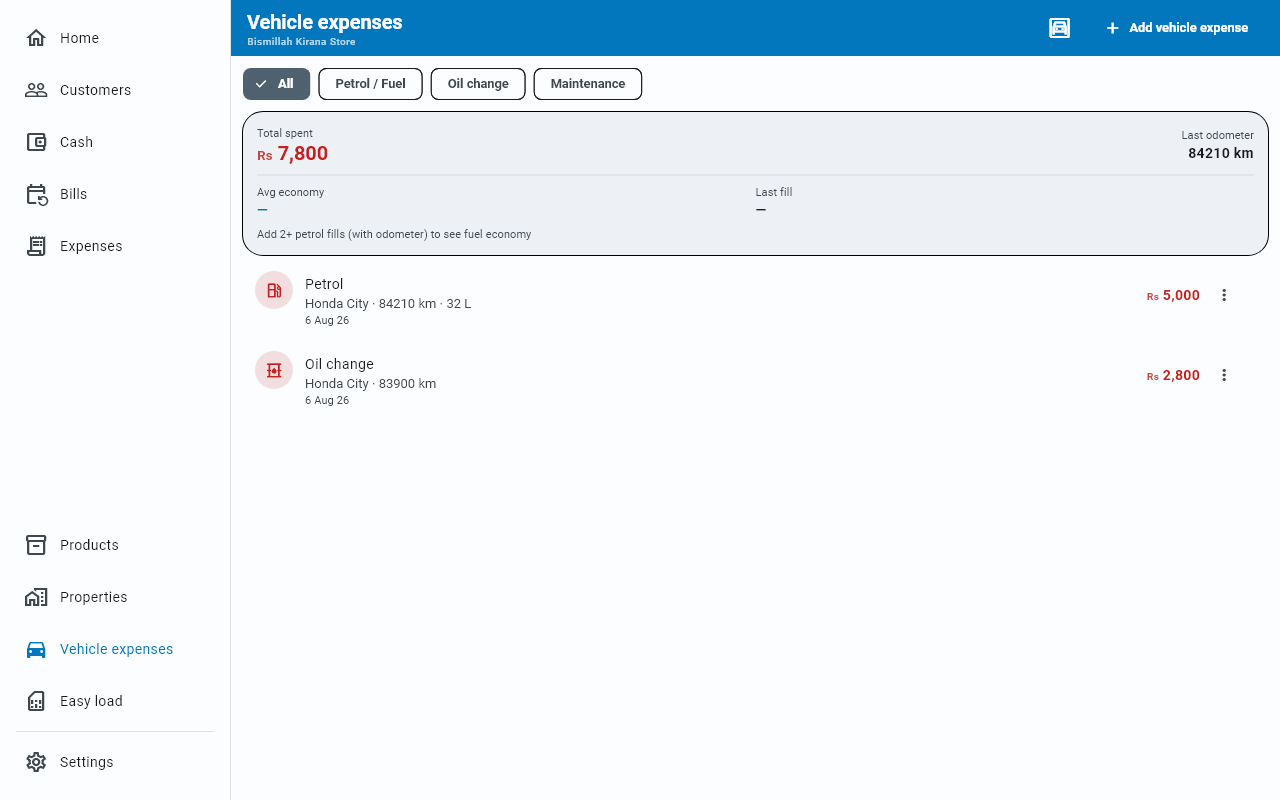
Record the Odometer (km) each time you fill up (or just the Trip (km) since the last one) and Businessly works out your Avg economy in {v} km/L — no arithmetic from you.
The summary also shows Total spent, Last odometer and Last fill.
Filtering the log
With more than one vehicle, chips at the top filter to a single one — All vehicles shows everything. There is a second row for the type, with All, fuel, oil and maintenance.
Looking at one cost
Tap any row in the log to see the whole entry: the type, the vehicle, the full date, the odometer reading, the litres, any filters you named, whether it was paid in cash, and the note. The row squeezes some of that into one ·-separated line and drops the rest.
It is still an expense
Every vehicle cost is a normal expense entry too. It appears in Expenses, in your cash book when paid in cash, and in your monthly totals.
Removing a vehicle
Open Manage vehicles (the garage icon at the top of the log), tap the ⋮ at the end of the vehicle's row and choose Remove. Businessly asks first (Remove this vehicle?). Expenses you already logged stay in your books — they were real money.